

An EOR integration is a data connection between your HR, payroll and finance systems and your Employer of Record, so hires, pay changes and payroll results move automatically instead of through spreadsheets and email. The work splits into three parts: deciding which system owns which data, mapping the fields that flow each way, and building for the local rules of the country where your people are employed. This guide covers all three, with South Africa as the worked example.
TL;DR
- An EOR integration syncs hires, job and compensation changes, time data and payroll results between your systems and the EOR, which stays the legal employer.
- Decide the system of record for every field before you write code. Most reconciliation problems come from two systems both claiming ownership.
- For South Africa, design around ZAR payroll, the monthly EMP201 cycle, five-year record retention and POPIA rules on cross-border data.
- Check an API for authentication, sandbox access, webhooks, idempotency, error handling and documented versioning before committing.
- Switching EOR providers or converting contractors is a data migration project. Plan it as one.
Table of Contents
- What an EOR integration actually connects
- Decide who owns each field first
- How to evaluate an employment API before you build
- A sensible build sequence
- What a South African integration has to account for
- Switching providers or converting contractors
- How an employment API supports hiring in South Africa
- Working with Expand to South Africa
- A pre-launch checklist
- FAQ
- Sources
What an EOR integration actually connects
An EOR is the legal employer on paper and carries the employer’s obligations, while you direct the work, set compensation strategy and manage performance. That split is why integration matters: two organizations hold different halves of the employment record, and both halves need to agree. Workday describes EOR solutions being connected to human capital management, workforce planning and ERP systems so payroll data is exchanged and worker records and analytics stay unified.
In practice the connection has four lanes:
| Lane | Direction | Typical data |
|---|---|---|
| Hiring | Your HRIS or ATS to the EOR | Candidate details, role, start date, salary, work location |
| Changes | Your HRIS to the EOR | Promotions, pay changes, leave, terminations |
| Time and variable pay | Your systems to the EOR | Hours, overtime, bonuses, commissions |
| Payroll results | EOR to your finance system | Gross-to-net, employer costs, statutory deductions, payslip references |
The same source describes the usual pattern: the EOR receives compensation, time and assignment data from the HCM system and returns payroll results for reconciliation and reporting, using standardized exchanges for hires, job and compensation changes, time and payroll results.
The integration does not transfer your management role. You still run day-to-day work and performance. What changes is that the administrative record is generated once and flows to wherever it is needed.
Decide who owns each field first
Before anyone opens API documentation, write a one-page data ownership table. For each field, name the system of record and the direction of sync. A workable default:
- Your HRIS owns job title, manager, department, performance data and internal employee ID.
- The EOR owns the statutory employment record: contract terms, tax references, statutory registrations, payslips and leave balances calculated under local law.
- Your finance system owns the general ledger coding, cost center allocation and budget.
Then define the keys that join the records. Use your own employee ID as an external reference on the EOR side, so a payroll result can always be matched back to a person without relying on names or email addresses, which change.
How to evaluate an employment API before you build
A documented API is not the same as an API you can run a production payroll process on. Before committing engineering time, check these points:
- Authentication and scopes. Token-based access with scopes limited to what each integration needs. Payroll data should not be readable by a key that only creates hires.
- A sandbox. You need test credentials and realistic fake data to run a full hire-to-payroll cycle before touching a real employee.
- Webhooks. Payroll status changes, contract signatures and onboarding steps should push events to you. Polling every few minutes works, but it is slower and more fragile.
- Idempotency. If your system retries a create-employee call after a timeout, it must not create a duplicate person with a second tax record.
- Error semantics. Validation errors should name the field and the rule, for example an invalid ID number format, so your team can fix data at the source.
- Versioning and change notices. Tax rules change every year, so the schema will too. You want documented versions and advance notice.
- Rate limits and bulk endpoints. Month-end is when everyone calls at once.
- Audit trail. Every write should be attributable to a user or integration key and retrievable later.
We publish a longer technical walkthrough in our developer’s guide to integrating an EOR API, and a practical view of the HR-system side in our HRIS integration guide for South African payroll.
A sensible build sequence
Teams that go live smoothly tend to build in this order:
- Read-only first. Pull employee records and payroll summaries from the EOR into a reporting view. This proves authentication and field mapping without risk.
- Hire creation. Push new hires from your ATS or HRIS, with required fields validated on your side before the call.
- Change events. Salary changes, role changes and terminations, each with an effective date.
- Payroll reconciliation. Import payroll results monthly and compare them with your own expectation: headcount, gross pay, employer costs.
- Exception handling. A queue where failed syncs land with a named owner, so nothing fails silently.
Run at least one full payroll cycle in parallel, comparing the integration output with a manual check, before you retire the spreadsheet.
What a South African integration has to account for
The technical design is the same anywhere. The local rules decide the field list, the calendar and the retention policy. For South Africa:
Payroll calendar and statutory filings
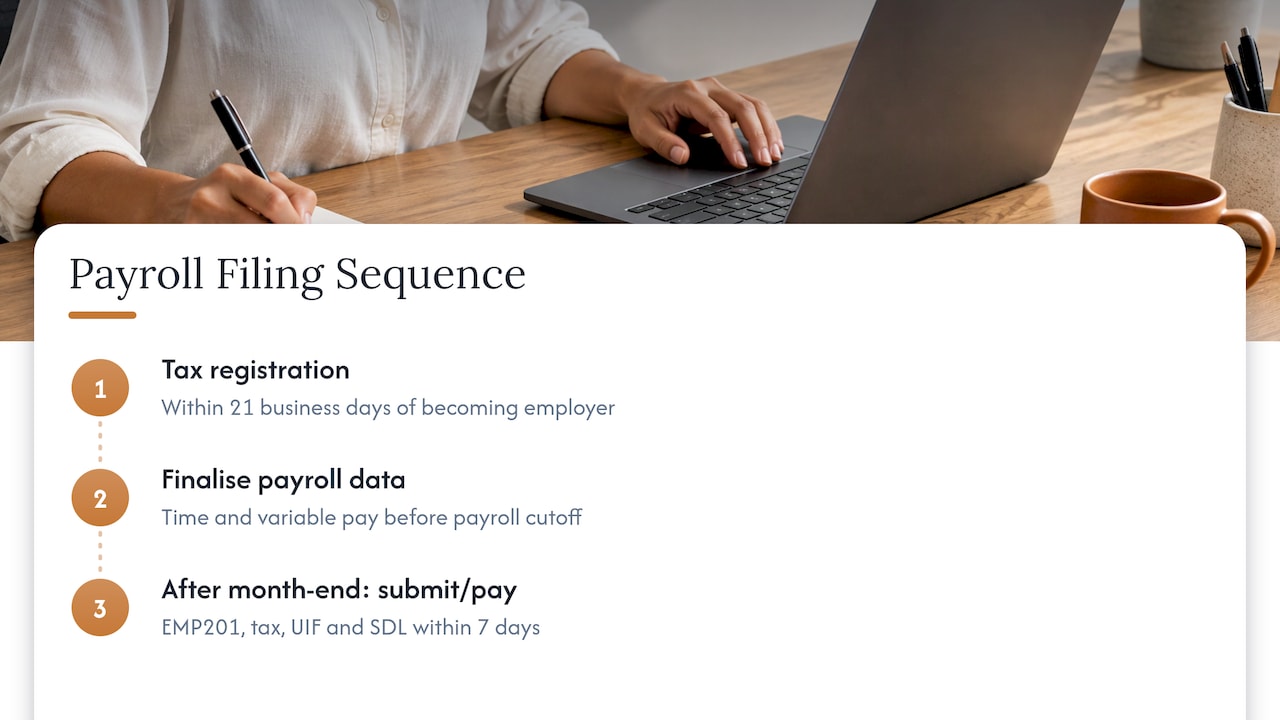
Employers must register with SARS for employees’ tax within 21 business days of becoming an employer. Employees’ tax, UIF contributions and SDL are then paid to SARS within seven days after the end of the month in which they were deducted or due, using the prescribed EMP201 declaration, according to the SARS employer guide for the 2024 tax year. Check SARS for the guide that applies to the current tax year.
For your integration, that means your time and variable pay data must be final before the payroll cutoff, not only before the 7th. A late bonus entry on the 5th can force a correction after the declaration. Our pages on EMP201 deadlines, SDL registration and UIF contributions set out the cycle in detail, and bonus tax handling explains why a mismatched payment reference causes problems.
ZAR payroll and your reporting currency
South African employees are paid in rand. Your finance system probably reports in dollars, euros or pounds. Decide up front whether payroll results arrive in ZAR only, or with a converted figure, and which exchange rate your accountants will use for consolidation. Store the original ZAR amount and the rate as separate fields so you can always rebuild the number. Our guide to paying employees in ZAR covers the mechanics.
If your team also runs US payroll, keep the two compliance tracks separate in your mapping. US wage reporting has its own year-end changes, such as the 2026 W-2 code changes, and the fields for a South African employee will not map onto them.
Record keeping
The same SARS guide says payroll records must be kept for five years from the date of submission of the return. The employer must also maintain a register with each employee’s personal particulars and financial details, including remuneration paid, employees’ tax deducted, UIF contributions and income tax reference number. If you copy payroll results into your own data warehouse, set your retention rules to match, and make sure the EOR’s records and yours can be reconciled by the same employee key.
Personal data and POPIA
Payroll data is personal information, and South Africa’s POPIA governs it. Section 72 deals with transfers of personal information outside South Africa: as Michalsons explains, a responsible party may not transfer personal information to a third party in a foreign country unless certain protections are in place. Your integration moves data across a border by design, so map where each system stores and processes it, list the countries involved and confirm the lawful basis for each transfer with your data protection counsel. Send only the fields each system needs. A US reporting dashboard rarely needs ID numbers or bank details.
Switching providers or converting contractors
The research on integration mostly covers greenfield setups. In practice many teams arrive at an EOR integration because they are moving: from another EOR, or from contractor arrangements to employment. Both are data migrations.
Switching EOR providers. Export the full employee master data, year-to-date earnings and tax figures, leave balances and contract documents from the outgoing provider. Agree a cutover month so that one provider runs each payroll cycle end to end, and reconcile year-to-date totals in the first month after the move. Employees should keep continuous service, so carry original start dates across rather than resetting them. We handle transfers from other providers at no charge to the employer.
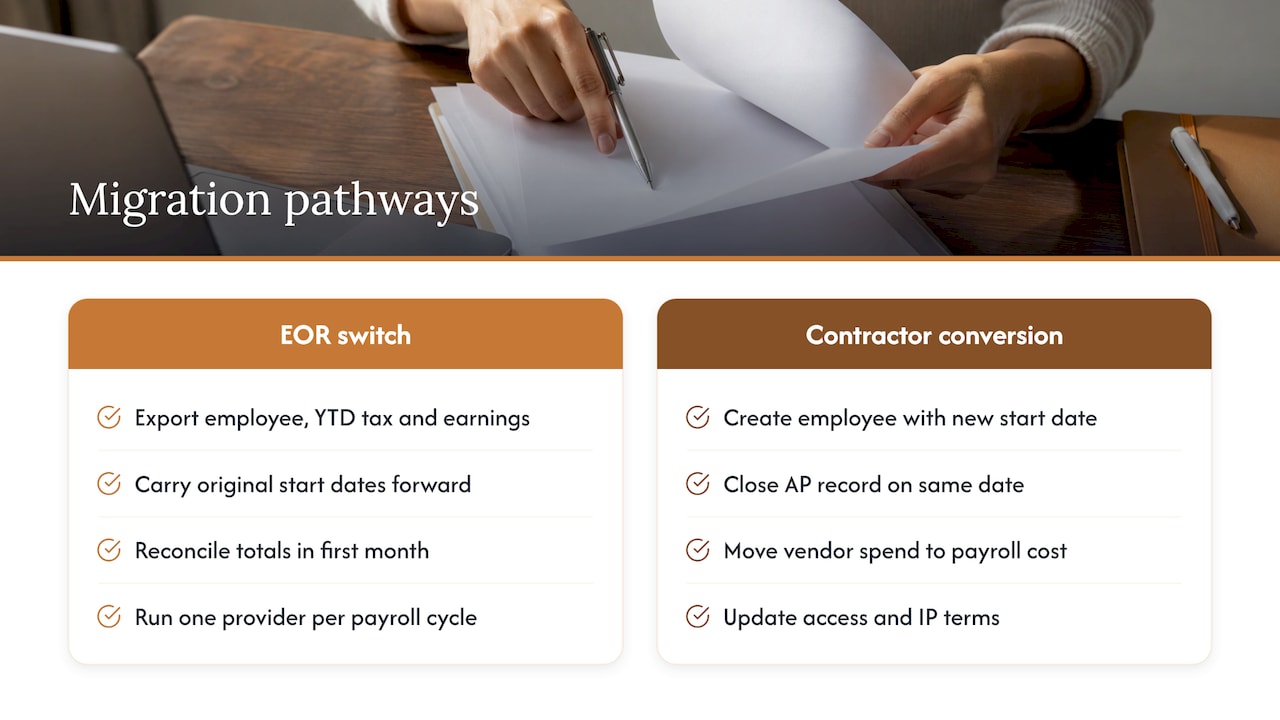
Converting contractors to employees. Treat the conversion as a new hire with a history. Create the employee record with a start date that reflects the new employment, close the contractor in your accounts payable system on the same date so you never pay twice, and move cost allocation from vendor spend to payroll cost. Also update access rights and any intellectual property terms in the new contract.
In both cases, run the sandbox with a handful of real-shaped records first, and keep a rollback plan for the first live payroll.
Our view: build the integration around one country, not around a catalogue
We run Employer of Record for South Africa only, and that shapes how we think about integration. A platform that covers 150 countries has to expose a generic employee schema and hope it fits. A single-country platform can model the real thing: the EMP201 cycle, UIF and SDL treatment, COIDA, BCEA-compliant contract terms and ZAR payroll, all as first-class fields rather than free-text notes.
That is why we publish our API documentation openly and offer sandbox keys. Your engineers should be able to judge the integration before anyone signs. We also say plainly who the legal employer is: our licensed local partner employs your people, you direct their work, and the data model reflects that division.
If your integration is going to run every month for years, the details of one country matter more than the length of a country list.
Roel
How an employment API supports hiring in South Africa
Once the connection is live, the day-to-day gains are practical rather than dramatic:
- Faster onboarding. An approved offer in your ATS can create the employee record directly, so contracts are generated from structured data instead of retyped.
- Fewer payroll errors. Salary changes made once in your HRIS reach payroll with an effective date, rather than arriving in an email thread.
- Cleaner finance close. Payroll results land in your ledger on a predictable schedule with employer costs itemized.
- Better forecasting. With unified records, you can model the full cost of the next hire before making an offer. Our public employment cost calculator and the guides on PAYE thresholds and employer payroll taxes help your finance team build that model.
For roles you have not yet filled, our talent sourcing service can feed vetted candidates into the same pipeline.
Working with Expand to South Africa
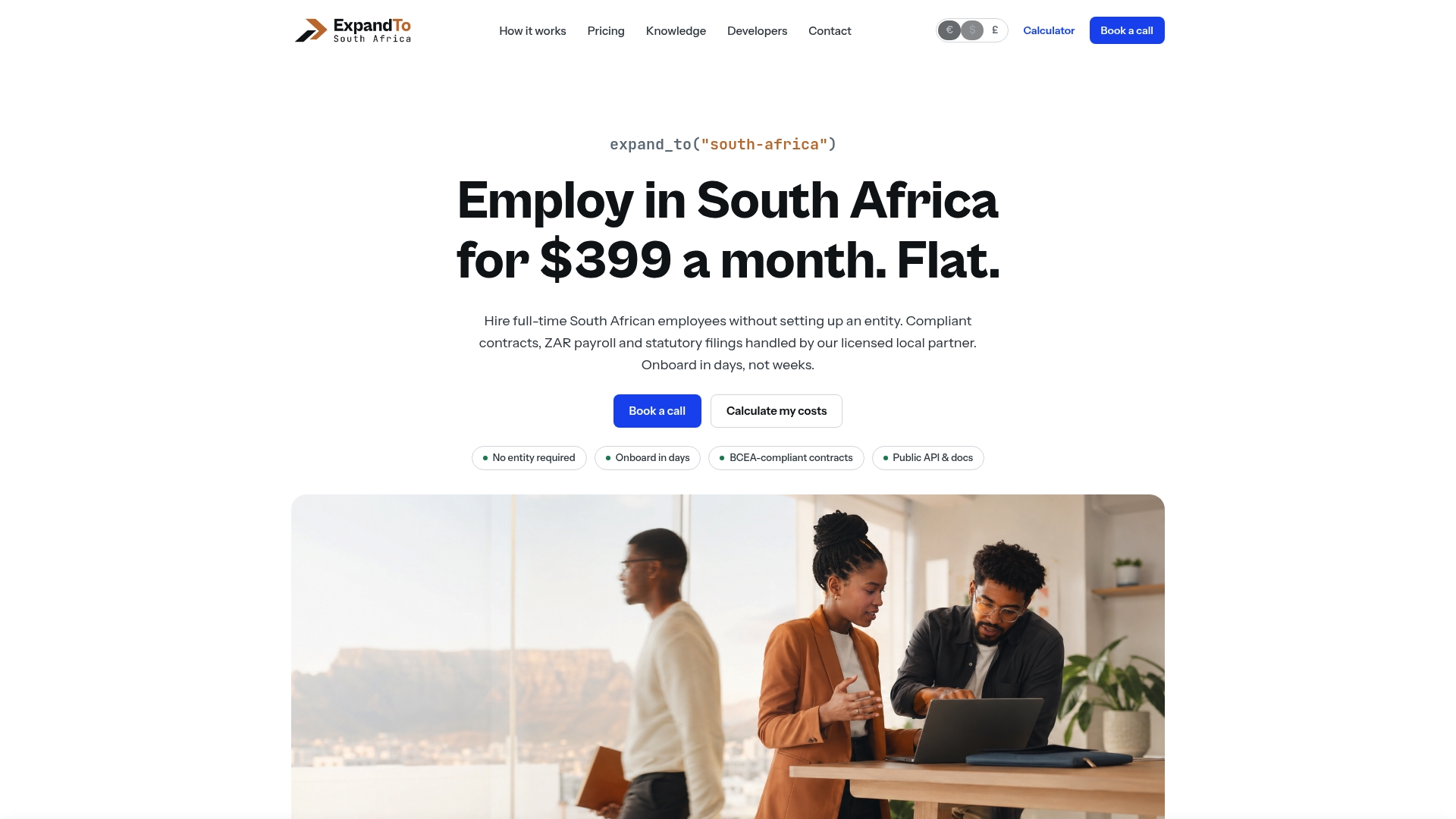
We provide Employer of Record services for South Africa only, with employment delivered through a licensed local partner who handles BCEA-compliant contracts, ZAR payroll and statutory filings including PAYE, UIF, SDL and COIDA. Pricing is a flat fee, from £299 per month per employee, with no setup fees or FX loading. Our API is open, with public documentation and sandbox keys, so your developers can test the full cycle first.
See the details on our EOR pricing page, or read how our EOR services fit with payroll services in South Africa.
A pre-launch checklist
- Data ownership table agreed between HR, finance and engineering.
- Employee ID used as the join key on both sides.
- Sandbox hire-to-payroll cycle completed, including a correction and a termination.
- Payroll data cutoff set ahead of the EMP201 deadline, with an owner for late changes.
- ZAR amounts and exchange rates stored separately.
- Retention period of five years applied to payroll records you copy.
- Cross-border data flows listed and reviewed against POPIA section 72.
- Failed-sync queue with a named owner and an alert.
- Parallel run of one payroll cycle before the manual process is retired.
FAQ
What is an EOR integration?
It is an automated connection between your HR, payroll or finance systems and an Employer of Record’s platform. Hires, job and pay changes and time data flow to the EOR, and payroll results flow back for reconciliation and reporting. The EOR remains the legal employer throughout.
Do I need an API to use an EOR?
No. Many companies start with the EOR’s web platform and a few employees. An API becomes worthwhile when you have several hires a quarter, multiple systems that need the same record, or a finance team that wants payroll data in the ledger without manual entry.
Which systems usually connect to an EOR?
The common ones are an HRIS or HCM for employee records, an ATS for hires, a time tracking tool for hours, and an ERP or accounting system for payroll costs. Start with the HRIS and payroll reconciliation, then add the others.
What should I watch for with South African data?
Watch the monthly EMP201 payment deadline, ZAR amounts, five-year record retention and POPIA rules on moving personal data abroad. Build these into your field mapping and retention settings from the start rather than fixing them after the first payroll.
Sources
- Workday: What Is An Employer Of Record?
- SARS: Guide for Employers in respect of Employees’ Tax (PAYE-GEN-01-G18)
- Michalsons: Transfers of personal information outside South Africa